
Terminal-first, autonomous agent
Best for: refactors, migrations, CI/CD
From $20/mo (Pro)
AI-powered VS Code fork
Best for: editing, completion, visual diffs
From $20/mo (Pro)
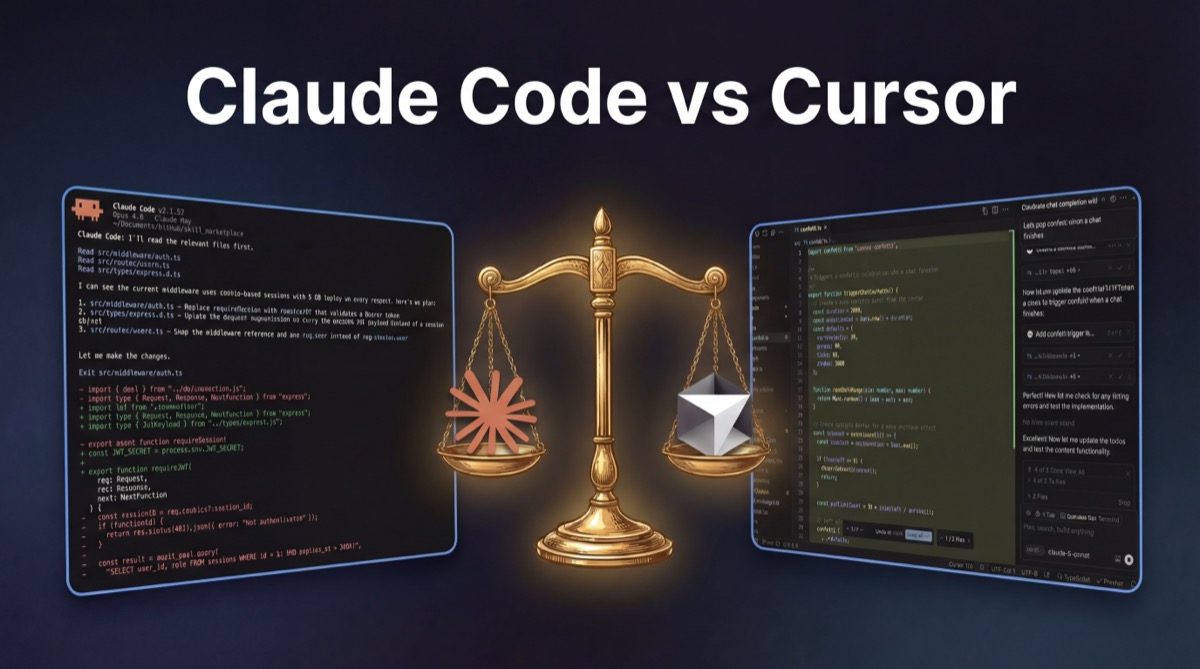
The Claude Code vs Cursor comparison comes down to one question: do you want an autonomous agent or an AI-enhanced editor? Claude Code runs in your terminal, plans multi-file changes, and executes them without hand-holding. Cursor is a VS Code fork where AI is woven into every keystroke: tab completion, inline chat, visual diffs. Both start at $20/month. Both will change how you write code. But the day-to-day experience is fundamentally different, and that's what this guide focuses on.
Claude Code vs Cursor: The Core Tradeoff
Claude Code is a terminal-native autonomous agent. You describe what you want ("migrate this Express app to Hono" or "add authentication to all API routes") and it plans the approach, makes changes across multiple files, runs commands, and iterates on its own work. It uses Anthropic's Claude models exclusively (Sonnet 4.6, Opus 4.6) with extended thinking that reasons through complex problems step by step. Its context window scales up to 1M tokens (beta). Extensibility comes from MCP servers, hooks, and installable skills.
Cursor is an AI-powered code editor, a fork of VS Code with AI integrated into every part of the editing experience. Tab completion suggests code as you type. Inline chat lets you ask questions about selected code. Composer handles multi-file edits with visual diff previews. Background agents run autonomous tasks in sandboxed environments. Because it's a VS Code fork, your extensions, themes, and keybindings carry over. Cursor supports multiple models (GPT-4, Claude, Gemini, Grok) and you can switch between them per task.
The core difference: Claude Code asks you to trust an autonomous agent and review results. Cursor keeps you in the editing loop and augments your keystrokes.
What a Typical Day Looks Like in Each Tool
Feature tables don't capture what it feels like to use these tools. Here's what a typical development day looks like with each approach.
A day with Claude Code
You open your terminal. You're adding a notification system to an Express app. You type: "Add email notification support. When a user creates an account, send a welcome email. Use Resend for delivery. Add the route, the email template, and tests." Claude Code reads your codebase, identifies the relevant files, plans the implementation, then starts making changes across 5-6 files. You watch the progress in your terminal, occasionally seeing it run tests and fix its own mistakes. Ten minutes later, you review the diff. Most of it is right. You adjust one template string and move on to the next task.
The rhythm is: describe → wait → review → adjust. Your hands are off the keyboard for the bulk of the implementation. You're thinking about what to build next while the agent builds the current thing.
A day with Cursor
You open Cursor (which looks exactly like VS Code). You're adding the same notification system. You open the routes file, select the user creation handler, and press Cmd+K: "Add email notification after account creation using Resend." Cursor shows an inline diff; you accept the route changes. You open Composer for the email template file, describe what you want, and it generates the template with a visual preview. You tab-complete the Resend client setup. You write the test file yourself, but Cursor's autocomplete fills in most of the boilerplate.
The rhythm is: navigate → select → instruct → accept/reject → type with assistance. Your hands stay on the keyboard. You're making micro-decisions constantly: accept this suggestion, reject that one, modify this diff.
The tradeoff
Claude Code's approach is more powerful on complex tasks; one prompt produces a complete implementation across multiple files. Cursor's approach gives you more control and faster feedback on each individual change. Neither is better; they optimize for different things.
Side-by-Side: The Same Task in Both Tools
To make the difference concrete, here's the same task ("add rate limiting middleware to an Express API") done in both tools.
In Claude Code
You type: "Add rate limiting to all API routes. Use express-rate-limit, 100 requests per 15 minutes per IP. Add a stricter limit of 10/15min on auth routes. Include tests."
Claude Code reads your route files, identifies all API routes and the auth routes specifically. It installs express-rate-limit, creates the middleware, applies the general limiter to your router, applies the stricter limiter to auth routes, creates test files, runs the tests, and fixes a failing test where it miscounted the rate limit window. Total time: ~3 minutes. Files touched: 4. Your input: one prompt.
In Cursor
You open middleware/ and create a new file. Cursor's autocomplete suggests the rate limiter setup as you import express-rate-limit. You accept the tab completion, adjust the window and max values. You open your main router file, select the line where routes are mounted, and Cmd+K: "Apply rateLimiter middleware to all API routes." Cursor shows the diff; you accept. You open the auth router, repeat for the stricter limit. You write the test, with Cursor autocompleting most of the setup/teardown. Total time: ~5 minutes. Files touched: 4. Your input: several interactions across the process.
What this reveals
Claude Code was faster and required less input — but you didn't see the implementation until it was done. Cursor took longer but you were in control of every change, and you could catch issues as they happened rather than in review. For a well-defined task like rate limiting, Claude Code's autonomy is an advantage. For exploratory or ambiguous tasks, Cursor's step-by-step approach reduces risk.
Where Claude Code Pulls Ahead
Large autonomous refactors. Migrating frameworks, restructuring codebases, updating hundreds of files to a new API. Claude Code's sub-agent architecture handles multi-step changes that would take hours of individual edits in any editor. You describe the end state, and the agent figures out the path.
Complex reasoning tasks. Extended thinking lets Claude Code trace dependencies, consider edge cases, and weigh architectural tradeoffs before writing code. On tasks like "refactor this module to eliminate circular dependencies" or "design the data model for this feature," the upfront reasoning produces better results with fewer iterations.
CI/CD and DevOps workflows. Claude Code runs natively in the terminal, integrating naturally with scripts, pipelines, and infrastructure tooling. It can run in headless mode for automated workflows.
Ecosystem extensibility. MCP servers connect to databases, APIs, and external services. Hooks fire shell commands on agent events. Installable skills add portable capabilities that persist across sessions. This makes Claude Code a platform, not just a tool.
Where Cursor Pulls Ahead
Real-time editing speed. Tab completion appears as you type; accept or reject with a keystroke. For writing new code from scratch, nothing terminal-based matches this feedback loop. You see suggestions in real time and make split-second decisions about each one.
Visual code review. Composer shows multi-file changes as inline diffs you can accept, reject, or modify before they're applied. You see exactly what will change, in the exact files, before anything is written. This visual feedback builds confidence in AI-generated changes.
Multi-model flexibility. Switch between Claude, GPT-4, Gemini, and Grok depending on the task. If one model struggles with a particular codebase or language, try another without leaving your editor.
Zero learning curve. If you use VS Code, you already know Cursor. Your extensions, themes, keybindings, and muscle memory all transfer. The AI features layer on top of an experience you already have. Claude Code requires learning a new workflow: writing prompts instead of editing code, trusting an agent, reviewing batch changes.
Pricing Breakdown: What You Actually Pay
Both tools offer tiered pricing, but the billing models differ. Claude Code uses rate limits: you can send as many requests as your plan allows within time windows. Cursor uses a request-based system where different models consume at different rates.
| Price Point | Claude Code | Cursor |
|---|---|---|
| Free | Chat only (no Code access) | 2-week trial with limited features |
| ~$20/mo | Pro — rate-limited Code access | Pro — 500 fast premium requests/mo |
| ~$60/mo | — | Pro+ — more requests, background agents |
| ~$100/mo | Max (5x) — 5x Pro rate limits | — |
| ~$200/mo | Max (20x) — 20x Pro rate limits | Ultra — unlimited premium requests |
At the $20/month entry point, both tools deliver genuine productivity gains. Claude Code's Pro plan gives you the full autonomous agent experience with rate limits that most developers won't hit in casual use. Cursor's Pro plan gives you 500 fast requests per month, enough for moderate daily use, but heavy users will want Pro+ or Ultra. For optimizing Claude Code costs with model routing, see our Claude Code Router guide.
Using Claude Code and Cursor Together
The tools solve different problems, and many developers run both daily. Here's how the workflow typically looks:
- Claude Code for planning and scaffolding: describe a feature and let it architect the approach, create files, and scaffold the implementation across your codebase. Use plan mode (
Shift+Tabtwice) for the thinking phase, then let it execute. - Cursor for refinement and polish: open the files Claude Code changed, use tab completion and inline edits to polish details, and review diffs visually in Composer. Cursor's visual interface makes it easier to catch subtle issues.
- Claude Code for automation: run it in CI to auto-fix lint errors, generate migration files, or update documentation after code changes. Its headless mode is purpose-built for this.
- Cursor for exploration: use inline chat to understand unfamiliar code, ask questions about APIs, and navigate large codebases visually. The "explain this code" workflow is faster in an editor than a terminal.
Skills persist across sessions. Once installed, capabilities like coding standards enforcement, workflow automations, and tool integrations are available in every Claude Code project without reconfiguration.
Switching from Cursor to Claude Code (and Back)
If you're currently a Cursor user considering Claude Code (or vice versa), here's what the transition looks like:
Cursor → Claude Code
- Mindset shift: You're no longer editing code. You're directing an agent. Write prompts that describe the end state, not the individual steps. "Add authentication middleware to all API routes" instead of editing each file.
- What transfers: Your understanding of your codebase, your architectural thinking, your review skills. Claude Code still needs you to know what "good" looks like.
- What doesn't: Tab completion muscle memory, inline editing workflows, visual diff review. You'll review changes in your terminal or git diff instead.
- Start with: Use Claude Code for one large task (a refactor or migration) to experience the autonomous workflow. Don't try to use it for the small edits you're used to doing in Cursor; that's not where it shines.
Claude Code → Cursor
- Mindset shift: You're back in the driver's seat. Instead of one big prompt, you'll make many small decisions: accept this completion, reject that one, edit this diff. The feedback loop is tighter but requires more attention.
- What transfers: Your prompting skills work in Cursor's inline chat and Composer. Good prompts produce good results regardless of the tool.
- What doesn't: Extended thinking, sub-agent architecture, MCP integrations. Cursor has its own strengths (tab completion, visual diffs, multi-model support) but not these specific capabilities.
- Start with: Use Cursor for a day of normal editing. Let the tab completion surprise you. It's faster than you expect for writing new code.
Final Take
Pick based on where you already live. If your day runs through a terminal and you think in tasks ("migrate this, refactor that"), Claude Code will feel native fast. If you live in an editor and think in keystrokes, Cursor's tab completion will feel like a reflex you didn't know you wanted.
Run the one that matches your instinct for a full week before judging it. The friction you hit on day one is almost always the learning curve talking, not the tool's ceiling.
Keep reading: How to Add Skills to Claude Code (2026) | Codex vs Claude Code: Full Comparison (2026) | Claude Code Router: Complete Guide (2026) | Claude Code vs Gemini CLI (2026)
Related: Claude Code Pricing (2026) | Claude Code Plan Mode (2026) | Claude Code Review (2026) | Claude Code Commands (2026)
Questions Developers Ask
Is Claude Code better than Cursor?
It depends on your workflow. Claude Code excels at large autonomous refactors, framework migrations, and CLI-driven development. Cursor excels at real-time tab completion, interactive editing, and working within a familiar VS Code environment. Many developers use both tools together.
Is Claude Code free?
Claude's free tier covers chat only; Claude Code requires a Pro subscription ($20/month) or higher. The Pro plan includes rate-limited usage, while Max plans ($100 or $200/month) provide higher rate limits for heavy usage.
Can Cursor use Claude models?
Yes. Cursor supports multiple AI model providers including Anthropic's Claude, OpenAI's GPT-4, Google's Gemini, and xAI's Grok. You can switch between models depending on the task.
What are Claude Code skills?
Claude Code skills are portable, declarative packages that extend Claude Code with new capabilities: things like coding standards, workflow automations, tool integrations, and specialized prompts. You can browse and install skills from the PolySkill registry at polyskill.ai.
Can I use Claude Code and Cursor together?
Yes, and many power users do exactly that. A common pattern is using Claude Code for planning, large refactors, and autonomous multi-file tasks, then switching to Cursor for hands-on editing, tab completion, and interactive code review.